


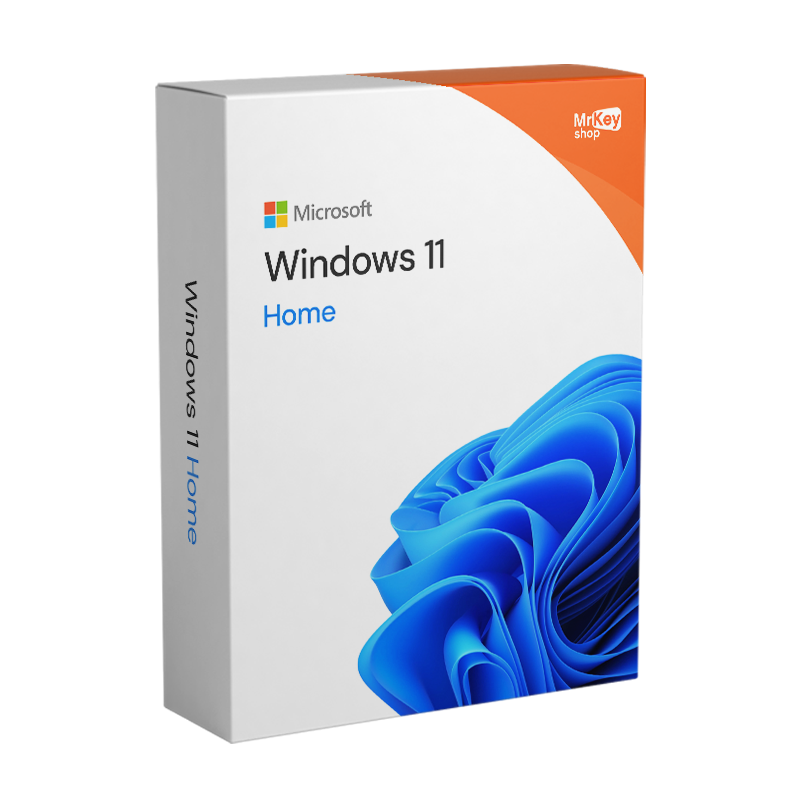







Buy a Windows 11 Home license and download the official Microsoft ISO in minutes. Order securely with our secure payment methods, instant email shipping, money-back guarantee, and free technical support in Italian and English! Get the most out of your PC with Microsoft’s new, optimized operating system.
Windows 11 Home license: buy the product key at a great price and install the new operating system on your PC!
Buy a Windows 11 Home license from Mr Key Shop and save! Here’s the latest version of Microsoft’s most popular operating system. Windows 11 has been revamped both aesthetically and functionally, offering users cutting-edge features to optimize their PC’s resources and maximize their gaming experience, thanks in particular to improved integration with Microsoft Xbox Game Pass services . Entertainment, content creation, and even top-level professional activities: harness the power of new hardware technologies like DirectStorage to optimize loading times and performance for your favorite games, and enjoy full compatibility with the new Office Home & Student 2021 to boost your productivity! Even in its version for home users, with Windows 11 Home, Microsoft hasn’t compromised on security, also utilizing the TPM of modern motherboards.
Why buy a Windows 11 Home license
Windows 11 Home has established itself as the definitive choice for individuals, students, and gamers looking for a fast, secure system deeply integrated with artificial intelligence.
Here are the technical reasons why you should buy a Windows 11 Home license today:
1. The future of the PC: Copilot and integrated AI
By 2026, Windows 11 Home will no longer be just an app container, but an active assistant. Thanks to new AI features:
- Copilot Vision & Recall: the operating system now has a “photographic memory” which allows you to find any document or image by performing a search in natural language (for example: “show me the recipe I saw yesterday” ).
- Live translation and subtitles: Instantly translates audio and video from dozens of languages directly on screen, ideal for international study and entertainment.
- Creative tools: The Photos and Paint apps now include generative deletion and AI-powered image creation, making many paid editing software programs unnecessary.
2. Console-level games
For gamers, Windows 11 Home has become essential. With the 2026 updates, Microsoft introduced:
- Full-screen Xbox experience: a console-like interface to navigate through your favorite games, even on PC and portable devices.
- DirectStorage and Auto HDR: minimized loading times and superior visual rendering, even on older titles, thanks to automatic color optimization.
- Advanced Shader Delivery: eliminates stuttering during gameplay by preloading shaders, ensuring maximum smoothness, even on triple A titles.
3. “Zero-Trust” security for the family
Unlike pirated or outdated versions, Windows 11 Home includes:
- Passkey and Windows Hello: say goodbye to memorable passwords; access is via facial recognition, fingerprint or PIN code, thus protecting your banking data and social accounts.
- Ransomware protection: in synergy with the best antivirus software, the system isolates vital files by preventing file encryption attacks.
What does Windows 11 Home include?
Windows 11 Home is the edition designed for home and personal use. It includes all the major new features of Windows 11 in terms of graphics, productivity, security, and entertainment.
Interface and daily use
- New modern interface with a centered Start menu, a redesigned taskbar and rounded corners.
- Snap Layouts to organize multiple windows on the screen and improve multitasking.
- Widgets with weather, news, calendar and other personalized information.
- Customizable desktop with wallpapers, layouts and application groups.
Productivity and collaboration
- Live Captions to generate real-time subtitles from any audio file played on your PC.
- Voice Typing for writing by dictating the text aloud.
- Integration with Microsoft Teams / Chat from the app bar for quick messaging and video calls.
- Updated utility applications such as Photos, Media Player, Notepad, Snipping Tool and Windows Backup for cloud backup.
Games and entertainment
- Supports DirectX 12 Ultimate for advanced graphics in compatible games.
- System optimized for greater fluidity in games and everyday use.
- Microsoft Store revamped with apps, games and multimedia content.
- Integration with Phone Link to connect your smartphone to your PC.
Security and access
- Windows Hello with biometric access (face or fingerprint, if the device supports it).
- Encrypted authentication to protect your login credentials.
- Advanced antivirus defenses integrated into Windows Security / Microsoft Defender.
- Passkey support for more secure access to compatible websites and applications.
Other advanced features
- Windows Studio Effects (on supported devices) to enhance video calls with background blur, eye correction, etc.
- Clipchamp for video editing with AI-assisted tools.
- Supports touch, stylus and voice input on compatible devices.
Hyper-V on Windows 11 Home is not available as a native virtualization option. Home users who want to use virtualization can opt for alternatives such as VirtualBox or VMware Workstation Player, which offer similar functionality. To access Hyper-V, you need to upgrade to a more advanced version of Windows 11, such as Windows 11 Pro or Enterprise, which include this feature along with other features designed for professionals and businesses.
By purchasing a Windows 11 Home key, you’ll get a service- oriented operating system that optimizes your user experience, with enhanced security and cutting-edge features. We also recommend installing one of the best antivirus programs for Windows 11 to protect your device. If you plan to upgrade your operating system from Windows 10 to Windows 11, use backup software compatible with both versions. This will allow you to perform backups and restores without encountering any issues during the upgrade process.
Windows 11 Home vs. Windows 10 Home
| Characteristic | Windows 11 Home (2026) | Windows 10 Home |
| Security Assistance | ✅ Complete and up-to-date | ⚠️ Currently being removed (October 2025) |
| AI (Copilot) | ✅ Native and in-depth | ❌ Limited / Absent |
| Gaming Optimization | ✅ DirectStorage / Auto HDR | ❌ Absent |
| Interface | Modern and customizable | Traditional and static |
| Battery efficiency | ✅ Optimized for 2026 laptops | ❌ Higher consumption |
Windows 11 Home pricing: a worthwhile investment for an improved user experience
Buy Windows 11 Home from Mr Key Shop and you’re guaranteed a great price. You can enjoy the latest technological innovations without breaking the bank. What’s more, thanks to Mr Key Shop’s many exclusive offers and promotions, you’ll have the chance to find Windows 11 Home at an even better price. Don’t miss the opportunity to invest in an operating system that will enhance your user experience at an affordable price: choose Windows 11 Home from Mr Key Shop and enjoy the future of technology with reliable service and a secure shopping experience.
After ordering a Windows 11 Home product key from Mr Key Shop, what happens?
In addition to saving a considerable amount of money on the list price of a Windows 11 Home product key, you will receive an email containing everything you need to download, install and activate Windows 11 Home on your PC.
- Your Windows 11 Home operating system product key (1 license valid for 1 user)
- Official link to download the Windows 11 Home ISO
- Clear and simple instructions to download, install and activate Windows 11 Home
- Free customer support in Italian and English
- Purchase invoice
Other products available in the Mr Key Shop catalogue
Windows operating systems: Windows 11 – Windows 10 – Windows 8 – Windows 7
Microsoft Office suites: Office 2024 – Office 2021 – Office 2019 – Office 2016 – Office 2013 – Office 2010 – Office for MAC – Microsoft 365 – Office application
Antivirus: Kaspersky – ESET – McAfee – Avast – Bitdefender – Norton – AVG –
– Acronis – Surfshark – IObit – Watchdog – Panda – Server Antivirus
VPN: HMA VPN – NordVPN – Cyberghost
Microsoft server: Server 2025 – Server 2022 – Server 2019 – Server 2016 – Server 2012 – Storage Server 2016 – Storage Server 2012 – CAL Server – RDS CAL Server – SQL Server
Utilities: PDF Converters – Disk Cleanup – Data Management – Screen Recorder – Billing Software – Backup Software – Data Recovery – Disk Partitioning – Deployment – 3D Modeling – Remote Desktop – Editing – Video Converter – Virtualization – Graphics
CAD: Autodesk – ZWSOFT – Rhino 3D
Collection: Software for creators – Software for gamers – Software for families – Software for smart work
Are you a retailer? Join MKreseller
Take your business to the next level with a strong and trusted partner in the original software licensing industry. With Mr Key Shop, you’ll have access to exclusive distributor price lists , special terms, and free professional support for you and your customers.
Furthermore, with MrKeyWallet , you can earn additional credits with each top-up and further increase your profit margins: the more you invest, the more you earn. A system designed for those who truly want to grow.
Join the MKreseller distributor program now and discover all the benefits reserved for partners.
System requirements for Windows 11 Home
| Processor | 1 gigahertz (GHz) or higher, 8th generation processor or newer |
| RAM | 4GB |
| Disk space | 64 GB |
| Firmware | UEFI compatible with Secure Boot |
| TPM | Trusted Platform Module 2.0 |
| Graphics card | DirectX 12 or later with WDDM 2.0 driver |
| Display | 720p, 8-bit, minimum 9-inch diagonal |
| Internet connection and Microsoft account | Windows 11 Home requires an internet connection and a Microsoft account to complete the installation. |
1. What is a Windows 11 Home digital license?
A digital license, also called a digital entitlement, lets you activate Windows 11 without having to manually enter a product key. This license is tied to your device's hardware and, in some cases, to your Microsoft account, simplifying future reinstallations.
2. How do I upgrade from Windows 11 Home to Windows 11 Pro?
To upgrade from Windows 11 Home to Pro, follow these steps:
Open Settings (Win + I) > System > About .
Click on Change product key or update your edition of Windows .
Enter a valid Windows 11 Pro key and follow the instructions to complete the upgrade.
If you do not have a license key, you can purchase one from the Mr Key Shop catalogue.
3. Can I transfer the Windows 11 Home digital license to another computer?
Digital licenses are typically tied to the device on which they were originally activated. However, if the license is linked to your Microsoft account, you can transfer it to another computer, provided you remove it from the previous device. Note that OEM licenses are not transferable.
4. What happens if I change the hardware in my PC?
If you make significant changes to your hardware, such as replacing the motherboard, your license may no longer be valid. In this case, you can try to reactivate it using the activation troubleshooter, accessible from Settings > System > Activation .
5. Can I upgrade from Windows 10 Home to Windows 11 Home for free?
Yes, if your device meets the requirements, you can upgrade to Windows 11 Home for free. We recommend checking your PC's compatibility before starting the process.
6. Where can I find the product key for Windows 11 Home?
If you purchased a Windows 11 Home digital license, a product key is usually not required, as activation happens automatically through your Microsoft account or your PC's hardware. However, if you need to retrieve the code, here's how:
Purchase confirmation email:
Check the confirmation email received after purchasing the license. The license code is provided directly in the email.
Authorized reseller:
If you purchased the digital license through Mr Key Shop, please check the instructions provided with your delivery. We will send them to you by email and make them available in your account on our website.
Software pre-installed on the device:
If Windows 11 Home was already installed on your PC and you have a digital license, the code may not be visible. In this case, activation will happen automatically and you will not need to enter it manually.
To check your license status, go to Settings > System > Activation . If it is active, you will not need to retrieve the license code.
7. Can I install Windows 11 on my old PC?
Windows 11 requires specific hardware specifications to ensure maximum security: a 64-bit processor of 1GHz+, 4GB of RAM ( 16GB recommended for AI features), and, most importantly, the TPM 2.0 chip . If your PC is less than 5 to 6 years old, it is likely compatible. You can verify this by downloading the official Microsoft PC Health Check application .
8. What are "Copilot+ PC" and will my license work on it?
Copilot+ PCs are a new hardware category launching in 2026 equipped with a Neural Processing Unit ( NPU ) to run AI locally. The license purchased from Mr Key Shop is fully valid for these devices. However, to unlock advanced AI features (such as Recall or Cocreator ), your hardware must support at least 40 TOPS of neural computing power.
9. How do I upgrade from Windows 11 Home to Pro?
It's very simple and doesn't require formatting your PC. If you purchase a Windows 11 Pro upgrade from Mr Key Shop, simply go to Settings > System > Activation > Change product key . By entering the new key, the system will automatically unlock Pro features (such as BitLocker and Remote Desktop) within minutes.
10. Can I revert to Windows 10 if Windows 11 doesn't suit me?
After installing Windows 11, you have 10 days to revert to Windows 10 while keeping your files and applications (via the Recovery feature ). However, this is strongly discouraged: Windows 10 no longer receives critical security updates after 2025, exposing your PC to vulnerabilities exploited daily by hackers.
11. Do I need to format my PC to install Windows 11 if I already have Windows 10?
Not necessarily. If your PC meets the minimum requirements, you can perform an "in-place" upgrade that will keep all your documents, photos, and programs. Mr Key Shop will provide you with a detailed guide explaining how to launch the upgrade directly from your current Windows environment.
12. Does Windows 11 take up more disk space than Windows 10?
The basic installation requires approximately 64 GB of free space. However, thanks to the new file system compression technologies of 2026, the actual space used is comparable to that of its predecessor. For an optimal experience with AI features, we recommend using an NVMe SSD .
Need more information? Contact us for personalized assistance!
Download Windows 11 Home in seconds
Download Windows 11 Home just seconds after your purchase, follow the instructions, and immediately install your new Microsoft operating system . All this is possible thanks to digital distribution , the Mr Key Shop model that allows you to benefit from discounted products, immediately available and activable within seconds of completing your purchase. Orders are processed via secure and traceable payment methods for your peace of mind. Order your Windows 11 Home product key with complete confidence and without worry! You are also covered by our money-back guarantee . Read our reviews to learn more about the Mr Key Shop experience! In addition to saving on the list price, you'll avoid waiting times and other inconveniences: you'll immediately receive a 100% original Windows 11 Home license , with clear and precise instructions and an official download link . And if you have any doubts or questions, our technical support is always available, in Italian and completely free of charge !

Installing Windows 11 Home in digital format is advantageous for you!
Installing Windows 11 Home on your PC using a digital license is now an ethical choice. Mr Key Shop is an eco-friendly company , and we firmly believe in the digital world : by combining these two visions, we can offer you high-quality products like Windows 11 Home without having to physically ship them. So, in addition to benefiting from fast service , you'll be contributing to environmental preservation . No carriers, no exhaust fumes, no polluting packaging. We are environmentally conscious !
Activate Windows 11 Home and Microsoft Office
Activating Windows 11 Home is an important step to ensure you can take full advantage of the operating system's features and benefit from Microsoft support and updates. Activation usually happens automatically during installation, provided you enter a valid Windows 11 Home product key or upgrade from a previously activated version of Windows (only possible from Windows 10 to Windows 11). If activation doesn't happen automatically, you can manually enter the product key in Windows 11 settings. Activation guarantees the software's authenticity, helping to protect against potential threats to your data security and ensuring a better user experience in the long run. Activate Windows 11 Home and enhance your experience by also downloading Office 2021 .

Free Support
Email & Live Chat

350K+
Happy customers

Lightning-fas
Shipping in a few seconds

100%
SSL Secure Payments

18+
Years of success

Free Support
Email & Live Chat

350K+
Happy customers

100%
SSL Secure Payments

Lightning-fas
Shipping in a few seconds

18+
Years of success
Upgrade to Windows 10 Professional – Product Key
Original price was: $128.95.$44.75Current price is: $44.75.
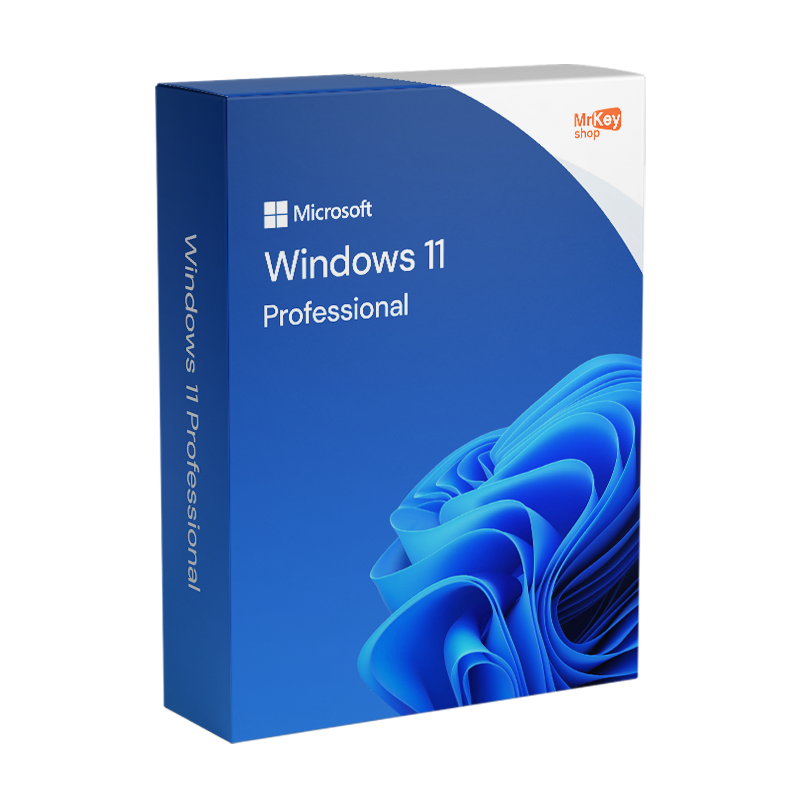
Upgrade to Windows 11 Professional – Microsoft License
Original price was: $149.99.$58.99Current price is: $58.99.
Reviews
There are no reviews yet.